Paul Hammant's Blog: iSights, magnets, Powerbooks and tripods.
ISight blues
In a couple of seconds, while unpacking my iSight the little magnetic stand of it wreaked havoc on my 15" Powerbook G4. It fell on to the touch pad and essentially wiped the hard drive. There are a number of short words of advice here for laptop owners- Ensure there is no possibility that magnets can come near to your laptop's hard drive, especially when its spinning.
- A laptop is not a work area. Do not unpack things onto it.
- Know where you laptop's hard drive is in your machine (search for one of the "I took apart my Powerbook G4" writeups.
- Back up your hard drive every week not every month. Its the most fragile part of your system
- Apple-care can't help you retrieve data - they can only replace the drive under warranty (assuming I'd not be blamed for the mishap).
- Apple-care have no relationship with OnTrack or other - they won't send it on for you - they's just replace it and keep the old drive. Dell do incidentally.
The iSight handbook suggests that the magnet attachment is placed nowhere near iPods and external hard drives, but nothing about Powerbooks/laptops/notebooks etc. I'd not read it anyway, so I'm not about to take Apple to court.
MacService upgraded the drive for me to a larger capacity and sent on the old drive to ECO Data Recovery while maintaining the warranty. ECO gave the hard drive a really good go in a clean room unfortunately, and despite a rebuild of the drive-head assembly, there were many thousands of physical read errors and there was no point in continuing. A subsequent attempt to clone it highlighted over 34,000 corrupt sectors at the front of the drive, and took many days to complete.
MagSafe?
The new MacBook Pros have a Magsafe connector. Its a pretty strong magnet. Not as strong as the one that came with the iSight, but strong enough perhaps. I asked in Salt Lake City Apple store whether it would do damage to the hard drive (spinning or not), but there's no information on that. If any idiot tried it out in an Apple store on the demo machines it would doubtless be counted as criminal damage (assuming it did damage the drive) - so do not. Its probably best that owners are anal about the magsafe connector, including inside laptop bags. At least until there is some definitive information on the subject.Update: Anoop Ranganath (an ex colleague) reports that
the magnetic bit of the magsafe connector is inside the chassis of the
MacBook Pro, not the cord, so it can't cause a problem. One less obstacle to buying a MacBook Pro for me :-)
Home-made tripod mount for the iSight.
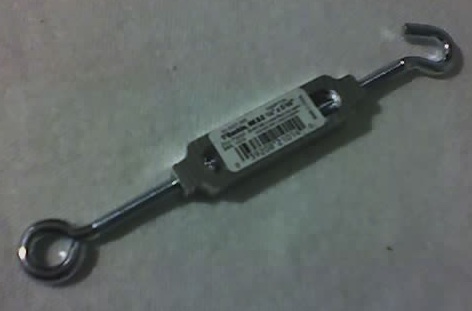
This was just for fun - you can buy a proper one for $25. Mine cost about $3 and about one hour of work. Its only worth doing if you have a hack-saw and some metal files.Here is what I bought from Cole Hardware in San Francisco. When you buy it ensure the screw thread is the same diamater as that of a tipod mount and its only just wide enough to clamp the plastic mount that comes with the iSight. Well it will be wide enough after some filing, or dremel love.
Here's the finished product :
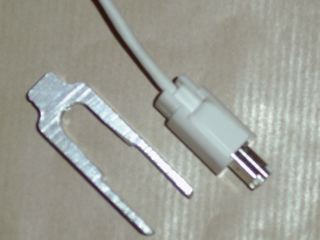
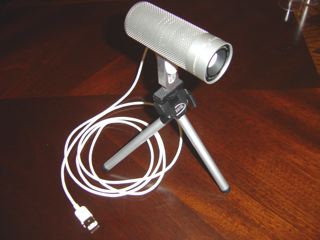
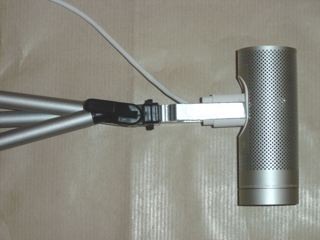
Being Aluminium it is not magnetic. I also blunted all the edges so that it can be carry-on baggage for flights. I have flown ten or so times since making it, so no problems there.
Published
May 6th, 2006